Black Friday SaleFree US shipping on every order
(888) 895-7080
Free Shipping Low Price Guarantee 30-Day Trial & Easy Returns
Free Shipping Low Price Guarantee Speak to a Pool Expert
Free 1–3 Day Shipping on Pool Robots Low Price Guarantee 30-Day Trial & Easy Returns

Buying Guide · Robot Features

Best Robotic Pool Cleaners With Automatic Scheduling: Pick the Days and the Hour

When a robot runs can matter as much as how often. These five start themselves, and the best of them let you choose the exact days and times.

By the SpectraLight pool experts · Updated November 2026

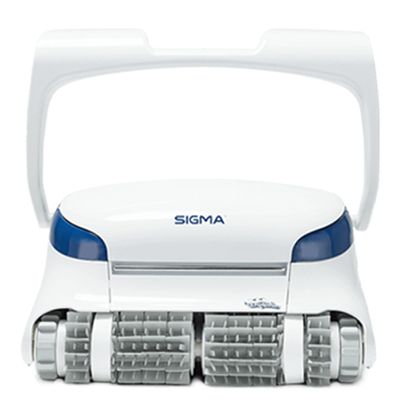
Dolphin Sigma robotic pool cleaner

The Short Answer

For automatic scheduling by day and time, choose the Dolphin Sigma: its weekly scheduler in the myDolphin Plus app works over Wi-Fi and Bluetooth. Clear S and Clear UV build weekly schedules in the Clear app. The Dolphin Quantum pairs a three-preset timer with app scheduling over Wi-Fi at a lower price, and the Premier keeps to simple repeat presets on its power supply, with nothing to connect.

Shoppers looking for the best robotic pool cleaner with automatic scheduling usually want a pool that gets cleaned without anyone starting it. The less obvious benefit is when the cleaning happens. Fine particles hang in the water while the pump runs, then drift down to the floor once everything is still. A robot that starts a few hours after the pump shuts off finds that material lying where it can reach it. One that runs mid-afternoon, with the water churning, chases it around.

That is the case for a schedule, as distinct from a simple repeat timer. A timer says how often. A schedule says which days and what hour: overnight, the morning after the pool service visit, never on Saturday afternoon. The robots below differ mainly in how much of that control they give you.

Our Picks, in Order

Scheduling Robots, Ranked by Control

Every price below is today’s price in our store.

  1. Pick 1: Full Day-and-Time Scheduling

    Dolphin Sigma

    The Sigma is the scheduling robot among the Dolphins. In the myDolphin Plus app you lay out the week: which days it cleans and at what time. Because the app connects over both Wi-Fi and Bluetooth, you can set it up standing next to the power supply even where the house Wi-Fi is patchy. It reports a full filter through the app and responds to Siri voice control. The robot behind the schedule has three ProLine motors, quad scrubbing brushes and SmartNav 3.0 with a gyroscope, for in-ground pools up to 50 ft.

    Best for
    Owners who want to choose cleaning days and hours precisely and get a filter alert on their phone.
    Keep in mind
    It carries the highest price on this page and weighs 24.6 lb. Everything about its schedule lives in the app, so a phone is part of the deal.
    See the Dolphin Sigma
  2. Pick 2: Weekly Schedules Inside a Wider App

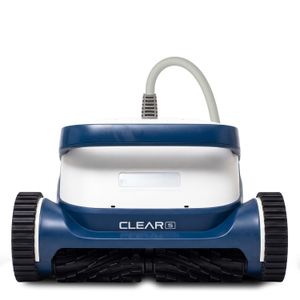
    Clear S

    Clear S comes second because its app does more than schedule. In the Clear app for iOS and Android you set weekly schedules, steer the robot yourself with a joystick when one spot needs attention, and read the live pool temperature. It navigates by gyroscope and accelerometer, and its coverage tightens over the first two or three cycles, so a scheduled robot settles into your pool within its first week. It is an in-ground robot for pools up to 50 ft, covering floor, walls and waterline, with a 3-year limited warranty.

    Best for
    In-ground pool owners who like running the pool from a phone and want schedules plus hands-on control.
    Keep in mind
    You set its schedules from a phone, in the Clear app, so it is not the choice for anyone who would rather keep a phone out of it.
    See the Clear S
  3. Pick 3: The Clear Schedule, Plus a UV-C Light

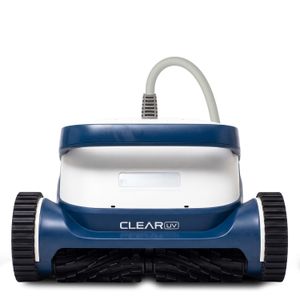
    Clear UV

    Clear UV schedules exactly as Clear S does: weekly schedules in the Clear app, the same six cleaning modes, the same joystick driving and live temperature reading. The hardware is identical apart from a built-in UV-C light, which you control from the same app. That is the whole difference, and it comes at a higher price, close to the Premier's and below the Sigma's, so check the live price on the card. It ranks just under Clear S because, as a scheduling robot, the two are equal and Clear S costs less.

    Best for
    Owners who want Clear's app scheduling and have decided they also want the UV-C light on board.
    Keep in mind
    For scheduling alone it offers nothing beyond Clear S, so the extra cost buys the light and nothing else.
    See the Clear UV
  4. Pick 4: Phone Scheduling at the Lowest Price Here

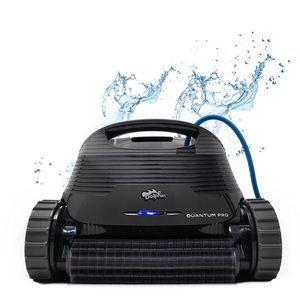
    Dolphin Quantum

    The Quantum is the least expensive way on this page to schedule a robot from a phone, and it comes with a fallback. Its power supply repeats cycles on one of three presets (every day, every 2 days or every 3 days), and the myDolphin Plus app over Wi-Fi adds start, stop, scheduling, cleaning modes and alerts. If the Wi-Fi drops or you change phones, the preset timer still runs the pool. SmartNav 2.0 senses ladders and drains, which helps on runs nobody is watching.

    Best for
    Owners who want phone scheduling without paying for the top models, and a timer that works with the phone switched off.
    Keep in mind
    Its app is published as working over Wi-Fi, so the signal has to reach the power supply. The warranty is 2 years.
    See the Dolphin Quantum
  5. Pick 5: Automatic Cleaning on Presets, No Phone Required

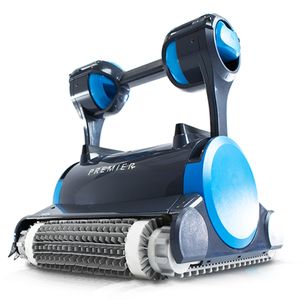
    Dolphin Premier

    The Premier starts itself too, but it belongs last on a scheduling page because its timer is an interval and not a calendar. The weekly timer on the power supply offers every day, every 2 days or every 3 days, and that is the extent of it: no days to choose and no way to tell it to skip Saturdays. In return there is nothing to pair and nothing to update. As a cleaner it gives nothing away: dual ProLine motors, 4,500 GPH, floor, walls and waterline, and a 3-year warranty.

    Best for
    Owners who want hands-off cleaning at a fixed interval and would rather not involve a phone at all.
    Keep in mind
    You cannot pick particular days or a start hour. If exact timing is why you are here, choose one of the four above.
    See the Dolphin Premier

What Matters

What Separates a Schedule From a Timer

01

Day and Time, or Just an Interval

The fullest scheduling lets you name the days and the hour. The Sigma's weekly scheduler does that, and Clear S and Clear UV build weekly schedules in their app. The Quantum schedules in its app as well. The Premier repeats at a preset interval and does not offer a choice of days.

02

How the Robot Gets Its Instructions

App scheduling depends on your phone reaching the robot's power supply. The Sigma's app works over Wi-Fi and Bluetooth, and the Quantum's over Wi-Fi. Clear uses its own app for iOS and Android. If the Wi-Fi is weak at your equipment pad, test it before you count on an app.

03

What It Tells You Back

A robot that runs while you sleep should report in. The Sigma sends a filter alert through its app, and the Quantum's app sends alerts too. The Clear app shows live pool temperature. The Premier keeps it physical, with a full-filter indicator on the power supply.

Side by Side

Scheduling Robots at a Glance

Specification Dolphin Sigma Clear S Clear UV Dolphin Quantum Dolphin Premier
Price today $2349 $1749 $1999 $1599 $1949
Cleans Floor, walls and waterline Floor, walls and waterline Floor, walls and waterline Floor, walls, waterline, sun shelves and stairs Floor, walls and waterline
Scheduling Weekly scheduler by day and time Weekly schedules in the Clear app Weekly schedules in the Clear app Weekly timer: every day, every 2 days or every 3 days Weekly timer: every day, every 2 days or every 3 days
App myDolphin Plus (Wi-Fi and Bluetooth) Clear app (iOS and Android) Clear app (iOS and Android), with UV-C light control myDolphin Plus (Wi-Fi) No app; controls on the power supply
Filtration NanoFilters and standard filter cartridges UltraFilter basket: 1-micron fine and 180-micron coarse panels UltraFilter basket: 1-micron fine and 180-micron coarse panels XXL MaxBin basket with standard and NanoFilter panels Multi-Media: NanoFilters, oversized leaf bag and standard fine filters
Brushes Quad scrubbing brushes Front and rear active brushes Front and rear active brushes Dual HyperBrush Dual scrubbing brushes
Navigation SmartNav 3.0 with gyroscope Gyroscope and accelerometer Gyroscope and accelerometer SmartNav 2.0 SmartNav 2.0
Cable 55 ft with 360° anti-tangle swivel 59 ft anti-tangle 59 ft anti-tangle 55 ft with anti-tangle swivel 55 ft with 360° anti-tangle swivel
Warranty 3 years 3 years (limited) 3 years (limited) 2 years 3 years
Shop Buy the Dolphin Sigma Buy the Clear S Buy the Clear UV Buy the Dolphin Quantum Buy the Dolphin Premier

When Exact Timing Matters

A schedule earns its keep in a few specific situations. If none of them applies to your pool, a preset timer will serve you just as well.

  • Overnight or early morning: the pool is empty and still, the day's dust has settled, and the floor is clean before anyone is up.
  • While the pump is off: with circulation stopped, fine particles sink to the floor, where the robot's own filter can catch them. Schedule the robot a few hours into the pump's off period.
  • After the pool service visit: brushing knocks dirt off the walls and steps, and it settles over the following hours. A cycle the next morning collects it. Do not schedule the robot for the same day as a shock treatment.
  • Around the people: no cycles on weekend afternoons, or during the hours when guests or swim lessons use the pool.

What a Schedule Still Leaves to You

Automatic scheduling takes the starting off your hands, not the upkeep. A scheduled robot is meant to wait in the pool between cycles. It still has to come out about once a week for a filter rinse, sooner when leaves are falling, and every time you shock the water or add chemicals. A robot does not know that a treatment is under way, so the schedule will start a cycle regardless unless you cancel it or take the robot out.

Schedules do not see the weather either. After a storm drops a load of leaves, run an extra cycle by hand and empty the filter before the next scheduled one. And when the pool is closed for a long stretch, clear the schedule and move the robot to a dry, shaded spot until you reopen.

Building a Schedule That Works

  1. Find out when your pool pump runs, then place the robot's cycles a few hours into the pump's off period.
  2. Leave a day in the schedule for the filter. If cycles run Monday, Wednesday and Friday, make Saturday morning the time you lift the robot out and rinse it.
  3. Check the signal before you rely on the app. Stand at the power supply with your phone and confirm it connects from there.
  4. Watch the first scheduled week. If the filter comes out packed, add a day; if it comes out nearly clean, drop one.


SpectraLight pool experts, Mon to Fri 8am to 5:30pm CST

Not sure which robot fits your pool?

Tell a SpectraLight pool expert your pool’s size, surface and what ends up in it, and get a straight answer before you buy.

Call (888) 895-7080

Scheduling Questions

What is the difference between a timer and a schedule on a pool robot?

A timer repeats a cycle at a fixed interval, such as every day or every 3 days. A schedule lets you choose the particular days and the time of day. The Premier has a timer. The Sigma has a day-and-time scheduler, the Clear robots have weekly schedules, and the Quantum has a timer plus scheduling in its app.

Should a pool robot run while the pump is on or off?

Either works, because the robot has its own motors and filter and does not depend on the pump. Off is often better for fine debris: with the water still, particles settle to the floor, where the robot collects them. That is one of the best reasons to schedule by the hour and not just by the day.

What time of day is best to schedule a robotic pool cleaner?

For most pools, overnight or early morning. Nobody is swimming, the previous day's debris has settled, and the pool is clean when you want to use it. Avoid the hours right after adding chemicals, and avoid times when people are in the water.

Do the Cayman and Escape offer automatic scheduling?

Not in the sense this page means. The Cayman's timer runs every day, and that is its only setting. The Escape ships without a timer, though an optional Automation Timer power supply repeats a cycle every 24, 48 or 72 hours. Neither one lets you choose days or a time of day. For above-ground pools, where those two are the right robots, that is the automation available.

The Verdict

Pick the Schedule You Will Actually Use

If you want to name the days and the hour, buy the Sigma. If you want schedules inside a wider app, with modes and manual driving, choose Clear S, or step to Clear UV for the built-in UV-C light. If you want phone scheduling for less, with a timer as backup, the Quantum. If an interval is all you need, the Premier. Need help deciding? Chat with a pool expert. We are an authorized Dolphin dealer.