Bluetooth and Wi-Fi at the Pool, Compared
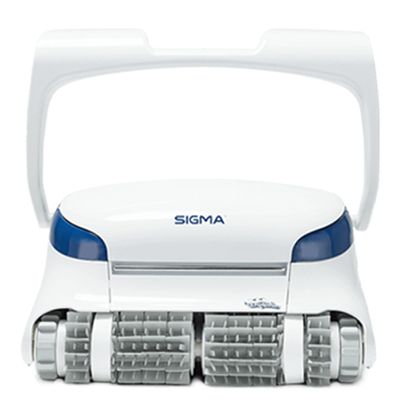
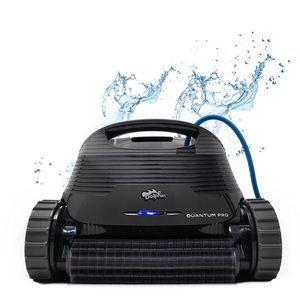
The two connections do different jobs, and a robot can have one, both or neither. The simplest way to think about it: Bluetooth is for when you are at the pool, Wi-Fi is for when you are not. The Sigma's spec states both. The Quantum's states Wi-Fi.
Range in both cases depends on your yard. Walls, distance and the equipment enclosure all cut it down, so we do not quote a number. Test with your own phone from where you will actually stand.
If Your Wi-Fi Does Not Reach the Pool
This is the situation Bluetooth was made for, and you have three honest options.
- Choose the Sigma and use Bluetooth at the poolside. You set it up and manage it standing near the power supply, and you give up control from elsewhere until the Wi-Fi improves.
- Extend your Wi-Fi to the equipment pad with a mesh node or an outdoor access point. Then either pick works fully, and so does anything else you run out there.
- Skip wireless. The Quantum's power-supply timer runs every day, every 2 days or every 3 days with no signal at all, and the Premier offers the same three presets.
Robots Here Without a Wireless Connection
Three Dolphins in this guide have no wireless control of any kind. The Premier is run from the controls on its power supply and has a weekly timer there. The Cayman has a daily timer on its power supply. The Escape is started by hand, with an optional Automation Timer power supply for owners who want timed cycles. None of the three has a phone connection.
Clear S and Clear UV are run from the Clear app for iOS and Android. We do not list them as Bluetooth robots because we will not state a connection type that their published details do not give us. If you are considering Clear, chat with a pool expert about how it connects at your pool.
Getting Connected at the Poolside
- Before buying, stand where the power supply will sit and check your phone's Wi-Fi signal. That one test tells you whether you need Bluetooth.
- Place the power supply at the setback your manual gives, with a clear line to where you will stand. Enclosures and masonry walls weaken both kinds of signal.
- Pair the phone at the poolside with the power supply switched on, then build the weekly schedule while you are still standing there.
- Turn on filter alerts in the app. A robot that runs on a schedule needs a way to tell you its filter is full.
- Keep rinsing the filter weekly whatever the app says, and remove the robot before the pool is shocked.